Dice Chess TV
Can you spot the marks?
Dice Chess for Fire TV marks the pieces a player can move. We are checking that everyone can see that mark, including people who are colour-blind. It takes about three minutes.
Your task: on six boards, tap every piece that can move. Nothing else.
Turn off night mode and any blue-light filter on your screen first.
For example
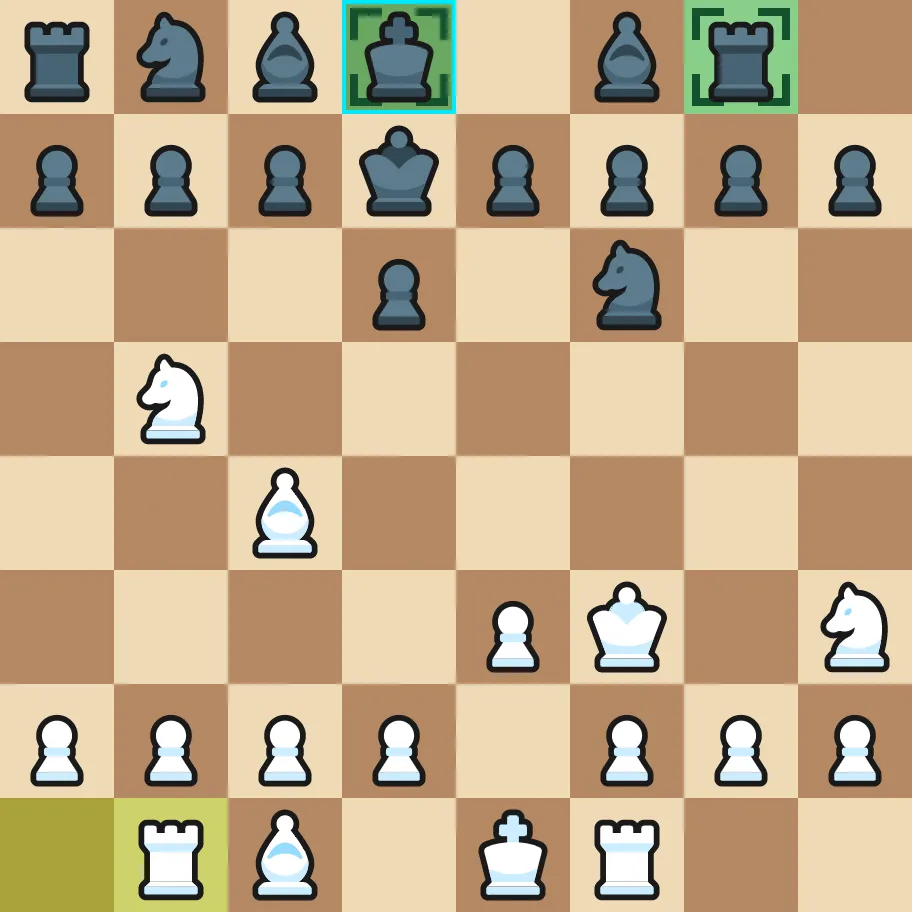
Here the king and the right-hand rook in the top row are marked, so both are ticked. The two tinted squares in the bottom-left corner show the last move played. They are not the answer, so they stay unticked.
The blue frame is the cursor of the TV remote. It always sits on one of the pieces that can move. The mark looks different from board to board; the key under each board shows how.
Board of 6
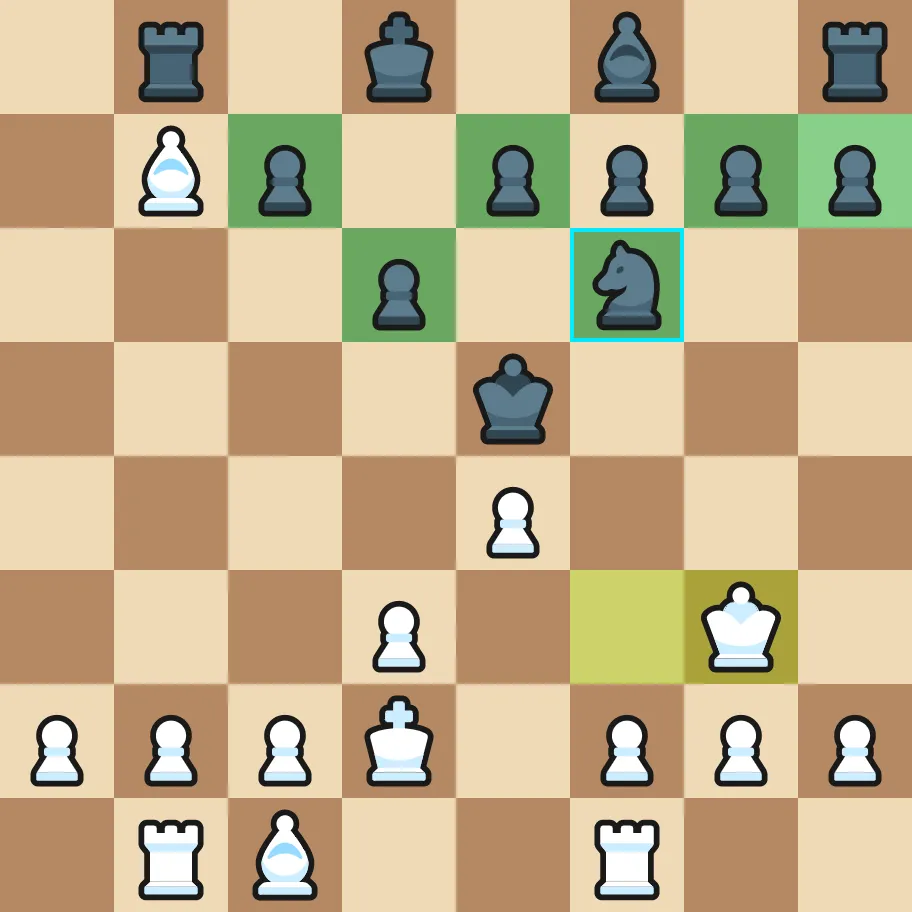




Tap every piece that can move, then press Next. Tap again to undo. If you see none, just press Next.
Board of 6
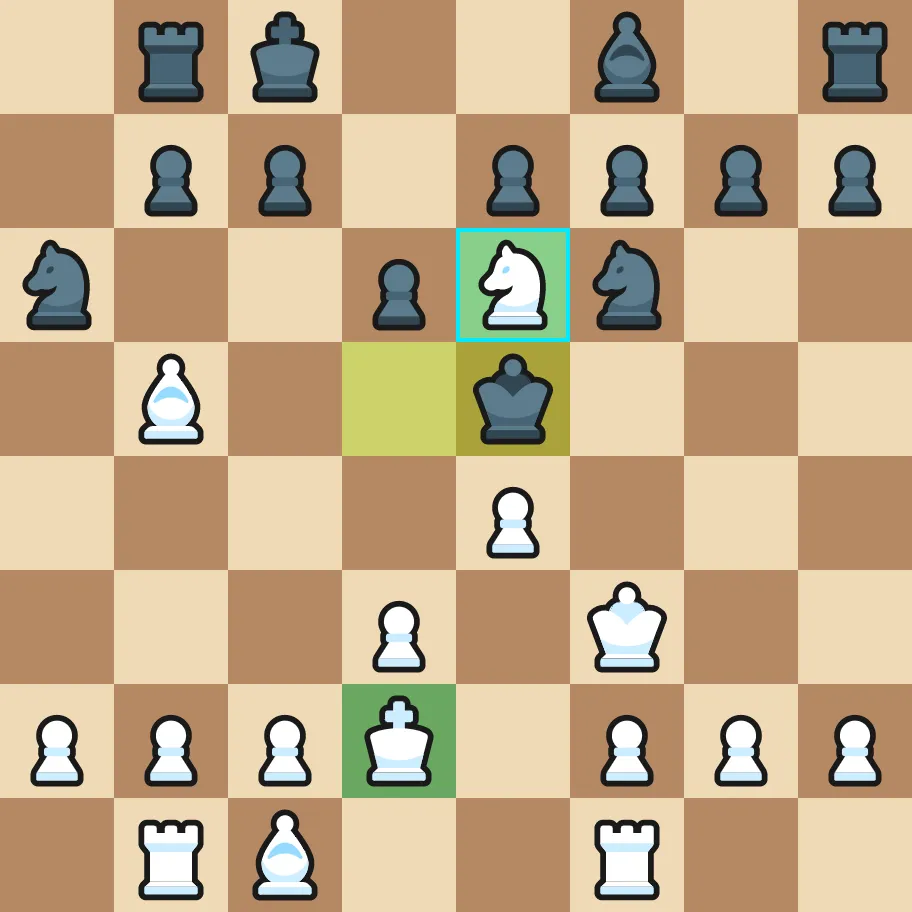
Tap every piece that can move, then press Next. Tap again to undo. If you see none, just press Next.
Board of 6
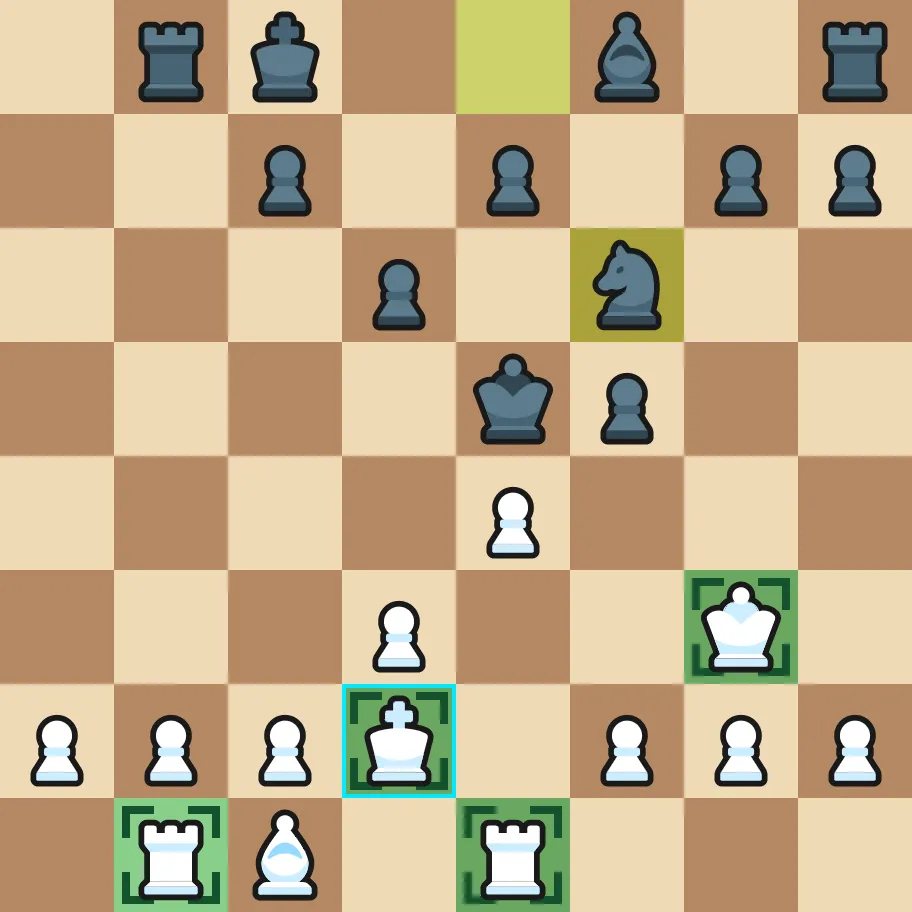


Tap every piece that can move, then press Next. Tap again to undo. If you see none, just press Next.
Board of 6
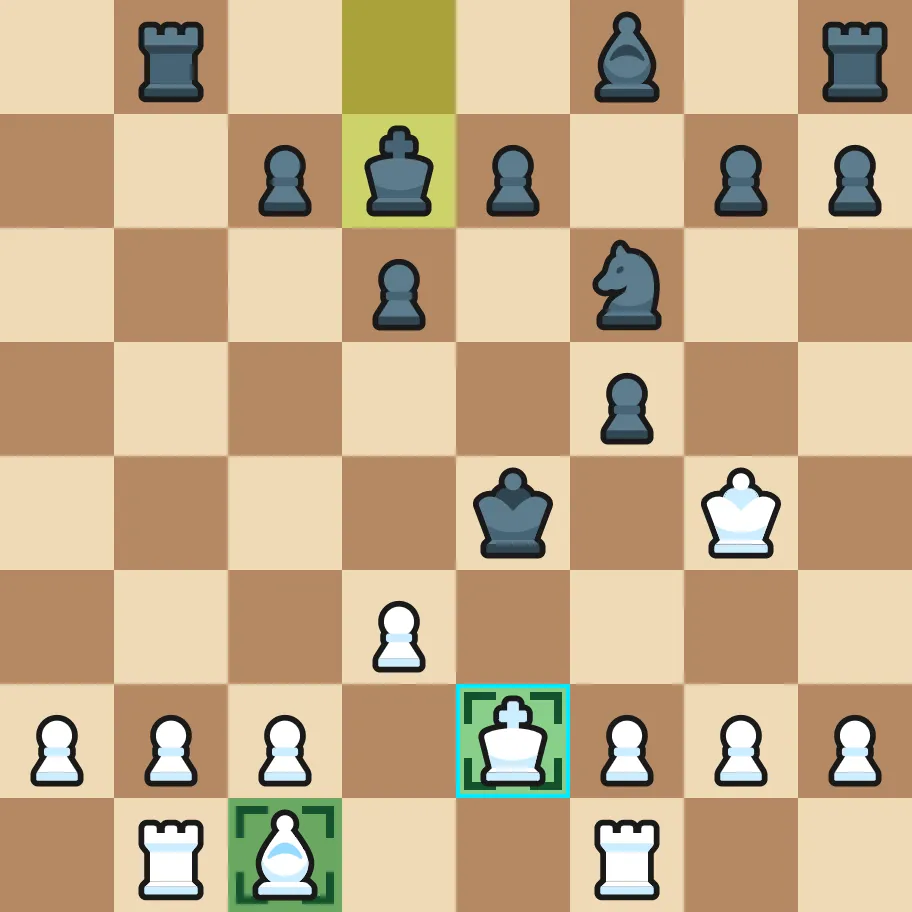
Tap every piece that can move, then press Next. Tap again to undo. If you see none, just press Next.
Board of 6
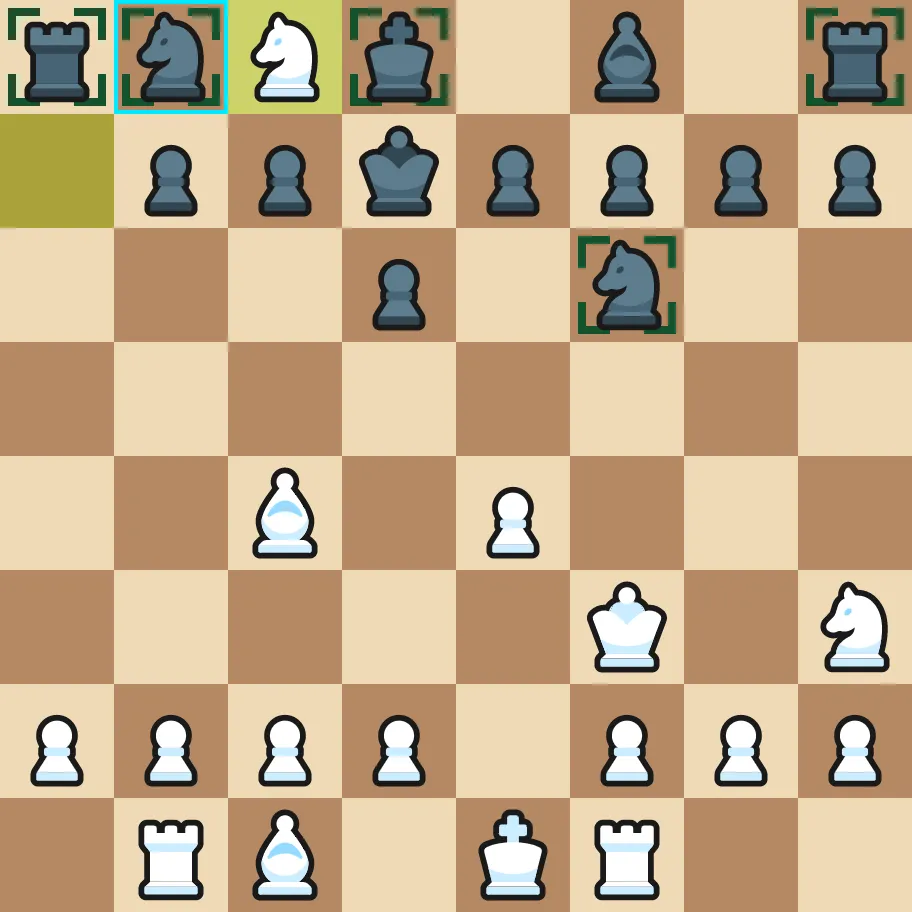


Tap every piece that can move, then press Next. Tap again to undo. If you see none, just press Next.
Board of 6
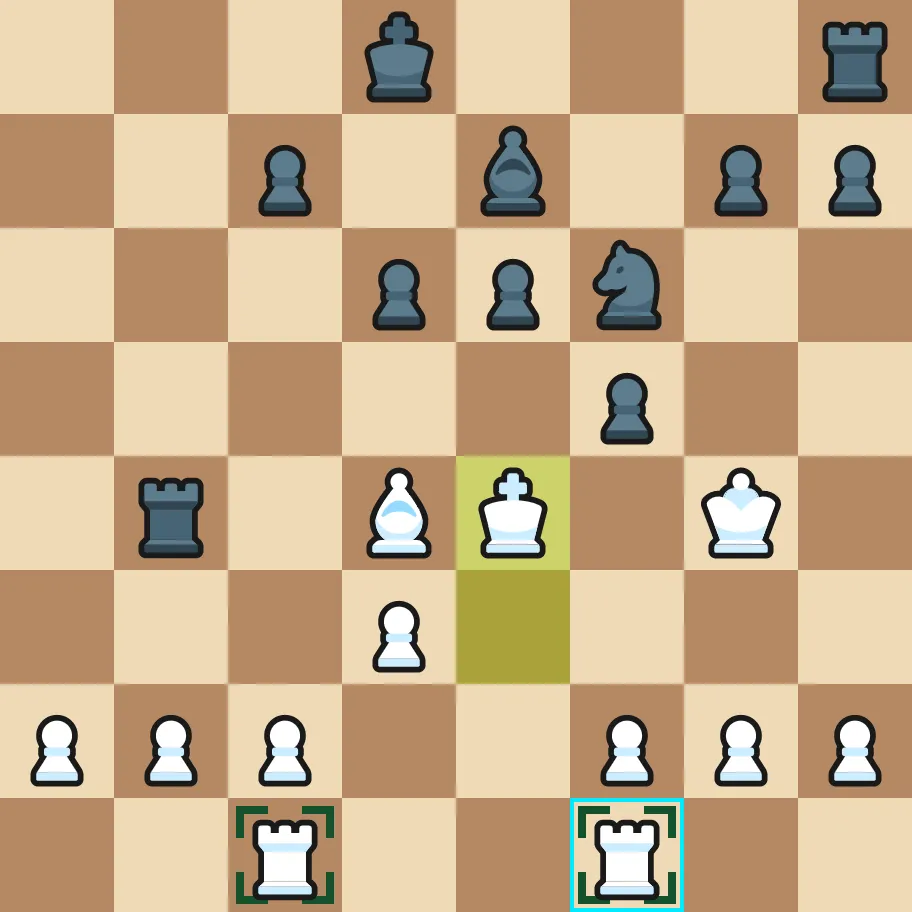
Tap every piece that can move, then press Next. Tap again to undo. If you see none, just press Next.
Two last questions
Thank you!
Your answers have arrived.
One more step
This page could not send your answers. Please copy this code and send it to the person who gave you the link.
You found of marked pieces.
- Green fill:
- Green fill with corners:
- Corners only:
The piece under the blue frame is not counted: the frame, not the mark, shows that it can move. You can close this page.